You may have sensitive data in your Excel sheet and want to keep the file secure. You can protect it with a password in just a few simple steps.
Method : 1
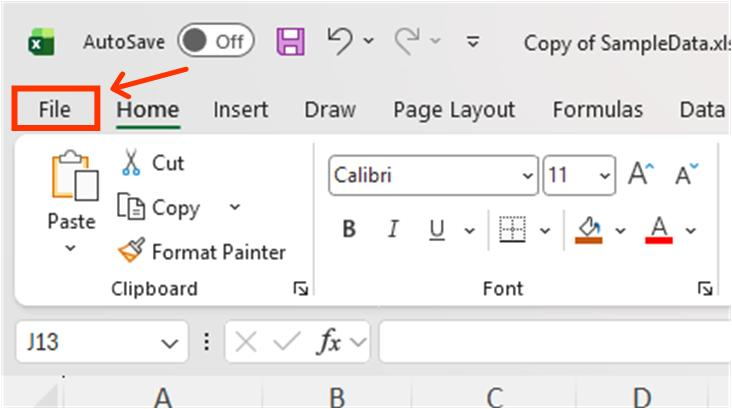
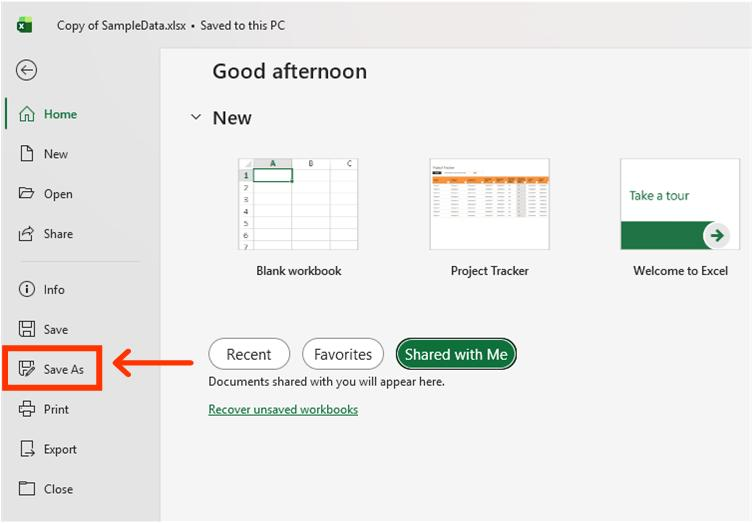
Click File and Save As the file.
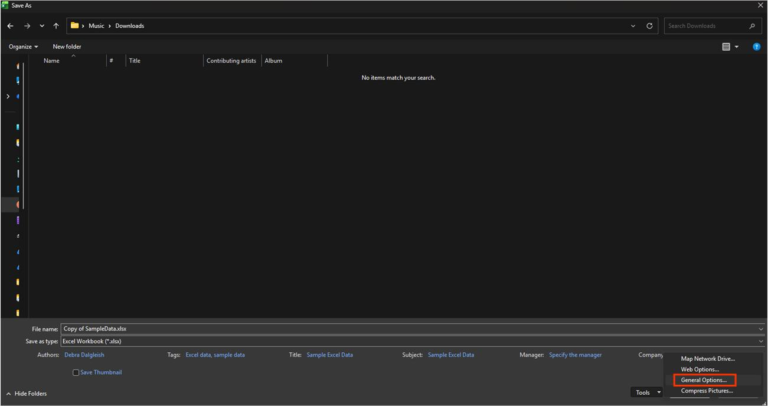
2. Click General Options.
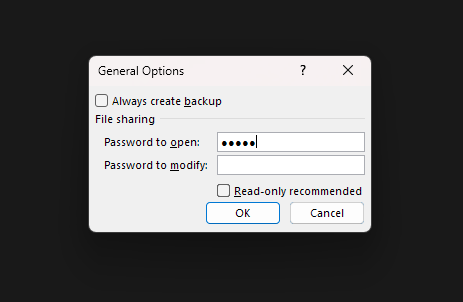
Click General Options. Before saving, go to Tools > General Options. Password to Open: ****** — Keep this password to protect the file. Password to Modify: ****** — Optional; use this if you do not want to allow others to modify the file.
3. Save the file.
Click ok and save the file.
Method : 2
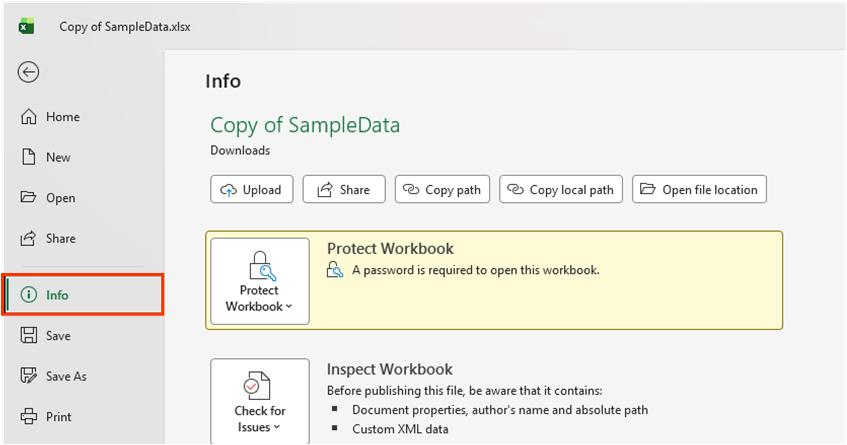
Click File and info
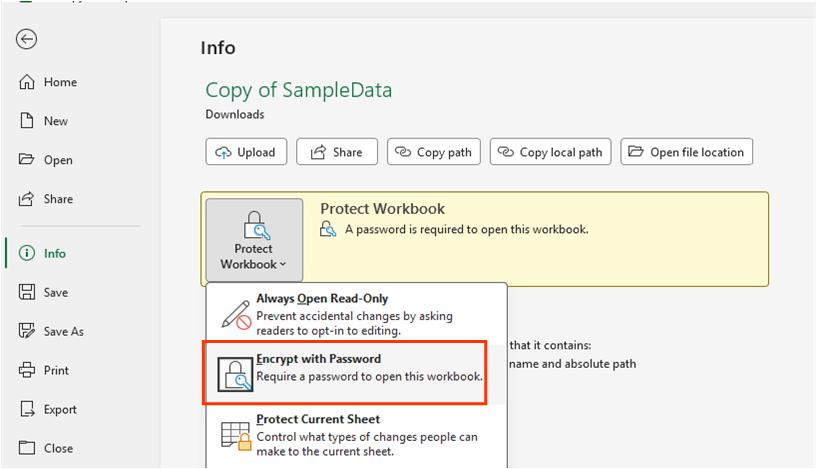
2. Click Protect Workbook.
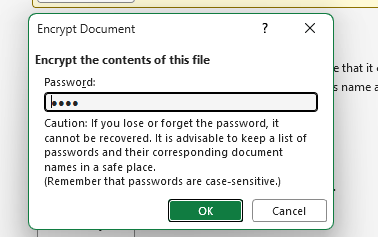
Click Protect Workbook → Encrypt with Password. Enter a password and click OK.
This will set a password for the file, which will be required when opening it.
Remove Password:
To remove the password, follow Method 2: go to Info → Protect Workbook → Encrypt with Password. Remove the password and leave the field blank.